
Everything you need to know about Studio
From your first project and working with AI to data, outputs and planned features.
Studio is a web app for planning smart homes that connects every stage of the project, from client requirements and planning through to finalization and outputs.
For professionals who plan and deliver smart homes, especially integrators, design engineers and architects.
Once you submit your application, we'll review and approve your access to the closed beta. Then you can create your first project, upload your materials and get started.
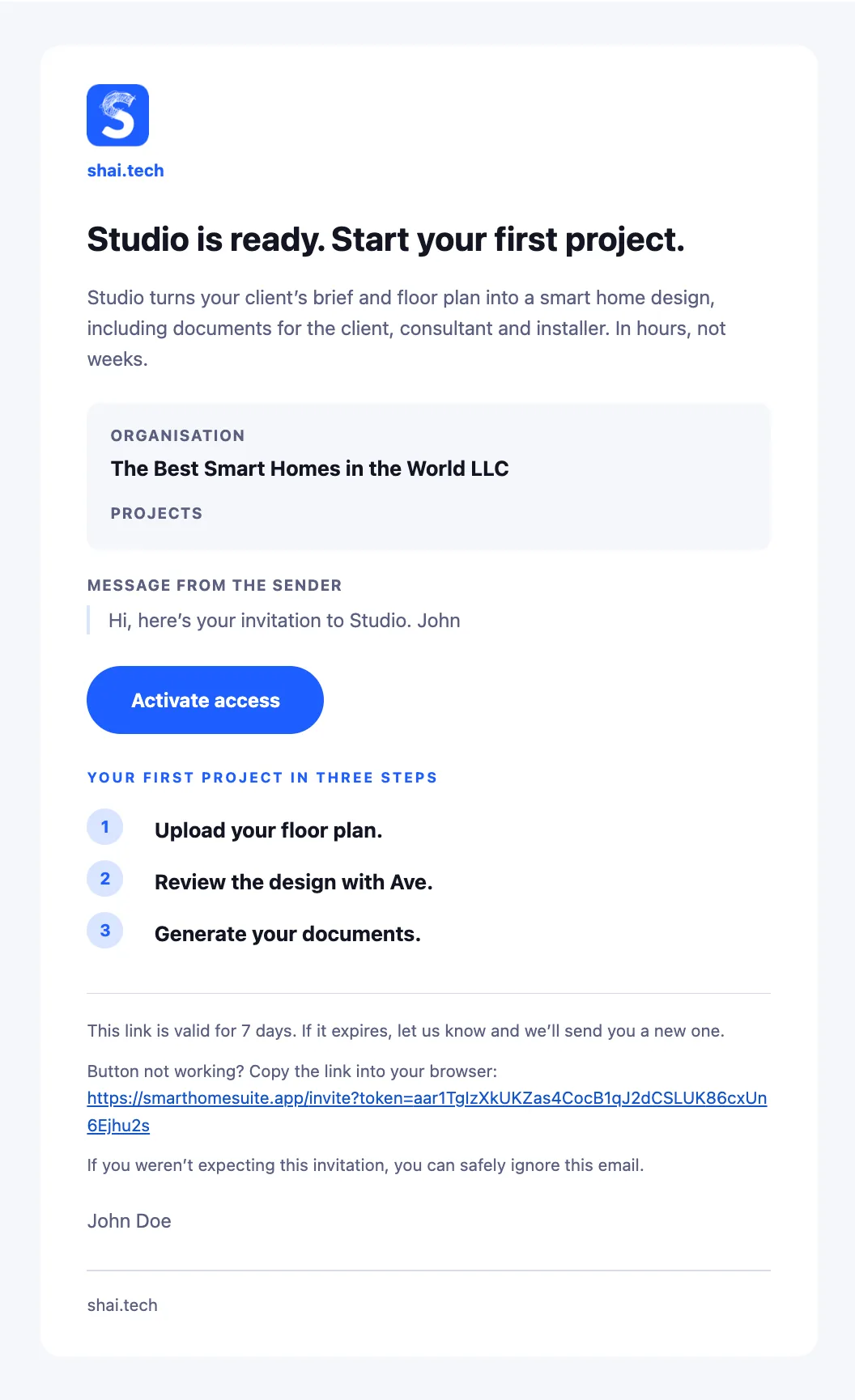
Once you receive your email invitation, activate your access in three steps:
Open your invitation. Click the “Activate access” button in the email.
Choose how to sign in. To use your Google (Gmail) or LinkedIn account, click “Log In”. To use an email address and password, click “Sign Up”.
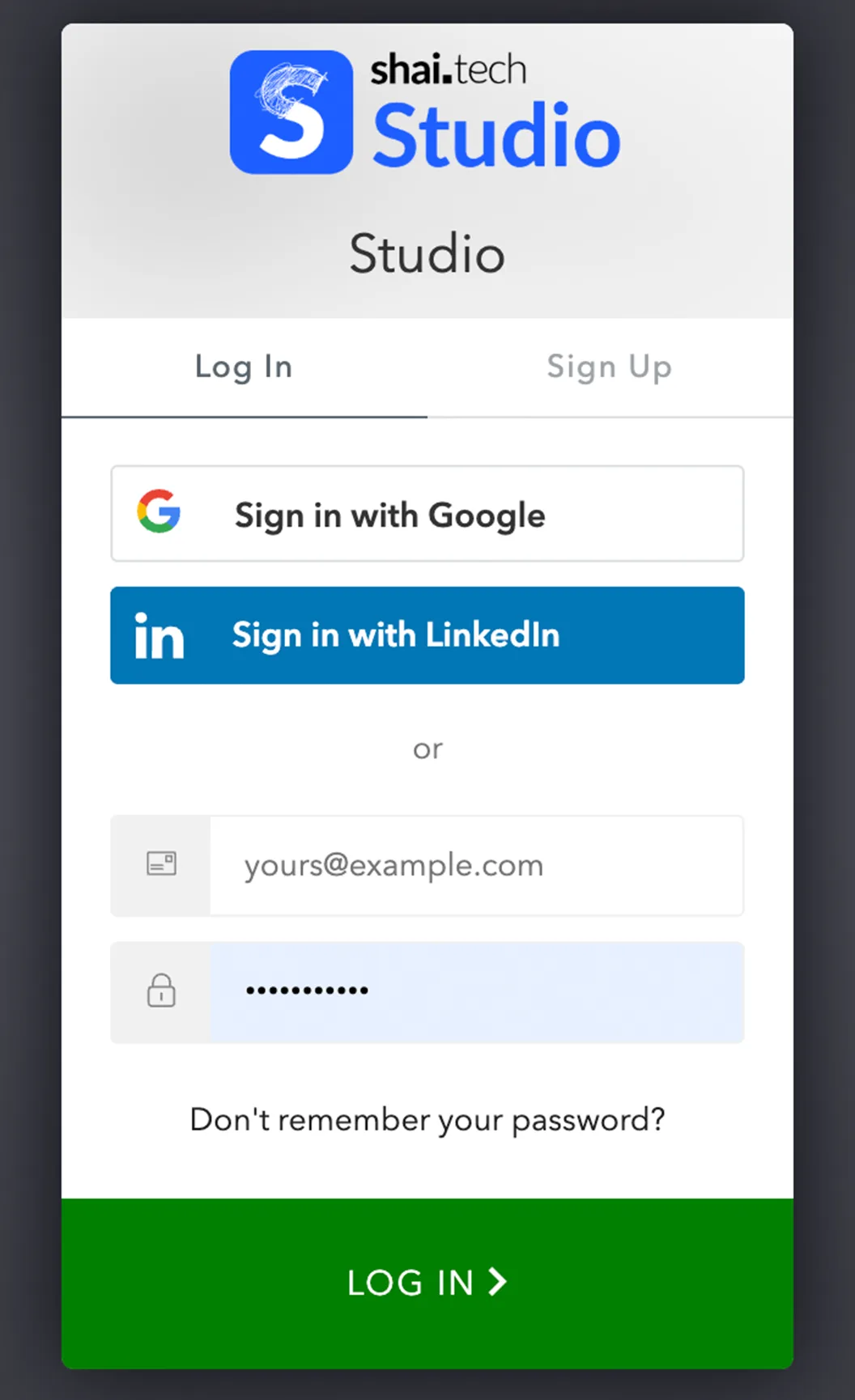
Complete the activation. Sign in through Google or LinkedIn using an account with the same email address that received the invitation. If you chose “Sign Up”, enter that email address, create a password and click “Continue”.
AI is available throughout your entire project in Studio. It can work independently with your requirements, propose solutions, help you think through next steps, find information online, and use our proprietary knowledge base and training all the way through to the final outputs.
Yes. Based on the requirements and project context, Studio can recommend suitable components and their placement. You stay in control throughout and can adjust the plan at any time.
Yes. Studio can propose functions, scenarios and the behavior of the entire home so that the individual technologies work together exactly according to the needs of its occupants.
No. AI helps you work faster, but you can adjust the plan at any time and make individual decisions manually whenever you prefer.
Studio combines AI with our knowledge base and experience from real-world projects. We still recommend having every proposal reviewed by a qualified professional. The final decision is always yours.
PDF and DWG. Studio automatically identifies rooms and their areas from the drawing.
It automatically identifies rooms, areas and individual drawing layers, then converts them into a format it can use for further smart home planning.
Yes. You can review and manually adjust the detected rooms, layers and other elements at any time.
That's exactly what Studio is built for. Smart home planning is dynamic and requirements often change. Studio processes those changes, reflects them across the project and helps keep both the plan and outputs up to date.
Yes. You can add documents, communication and photos to the project. Studio also includes notes, so you have all your project materials at hand and in one place.
Yes. You can prepare different solution variants, compare them and continue developing the one that best fits the project and the client's requirements.
Yes. Alongside devices from the catalog, you can add your own devices to the project and enter their specifications.
Yes. Multiple people can work on the same project and share the latest version of the plan.
The client can get access to their own section of Studio and enter their requirements directly there. The integrator has them available throughout the project, and Studio continues to use them when planning functions, home behavior and other outputs.
Yes. You can have multiple projects in Studio at the same time and transfer selected components, plans or materials between them, so you don't have to start from scratch every time.
Today, Studio is built primarily around Loxone. We also plan to support other systems in the future, such as KNX.
Today, for example, floor plans, component and room lists, a description of home behavior, a summary study and a preliminary quote. In the future, we also plan to add cable schedules, wiring diagrams, technical reports and other materials for implementation and related disciplines.
Yes. We plan to add electrical design as a future part of Studio, connected directly to the smart home plan.
Yes. Studio prepares materials not only for you and the client, but increasingly also for design engineers, electricians and other professionals involved in implementation.
Yes. Based on the current plan, Studio prepares client-ready materials including the scope of the solution, components, function descriptions and a preliminary price. We're also working on improving pricing accuracy and allowing you to apply your own pricing.
Both companies and individuals can apply to join the beta. We're looking for partners who will use Studio on real projects, share feedback with us and help us refine the product. Selected participants get free access to the beta.
Studio is free during the closed beta. We'll announce pricing for the full release soon.
Yes. We're actively developing Studio and will gradually add new features based on our roadmap and feedback from the beta.
No. We do not use data from your projects to train public AI models. We only process it as needed to provide Studio's functionality.
Project data is stored in secure infrastructure and can only be accessed by authorized users.
Only users you choose to grant access to can access your projects.
Studio is designed to protect project data against unauthorized access, loss or leakage. Only authorized users can access the data.